

Websocket Creation
The issue at hand is as follows: If you open two tabs with the URL http://localhost:5000 and attempt to create a task in one of the tabs, you will notice that the other tab does not update. This occurs because HTTP requests are unidirectional; they only go from the client to the server. Consequently, there is no way for our second tab to be informed of the change.
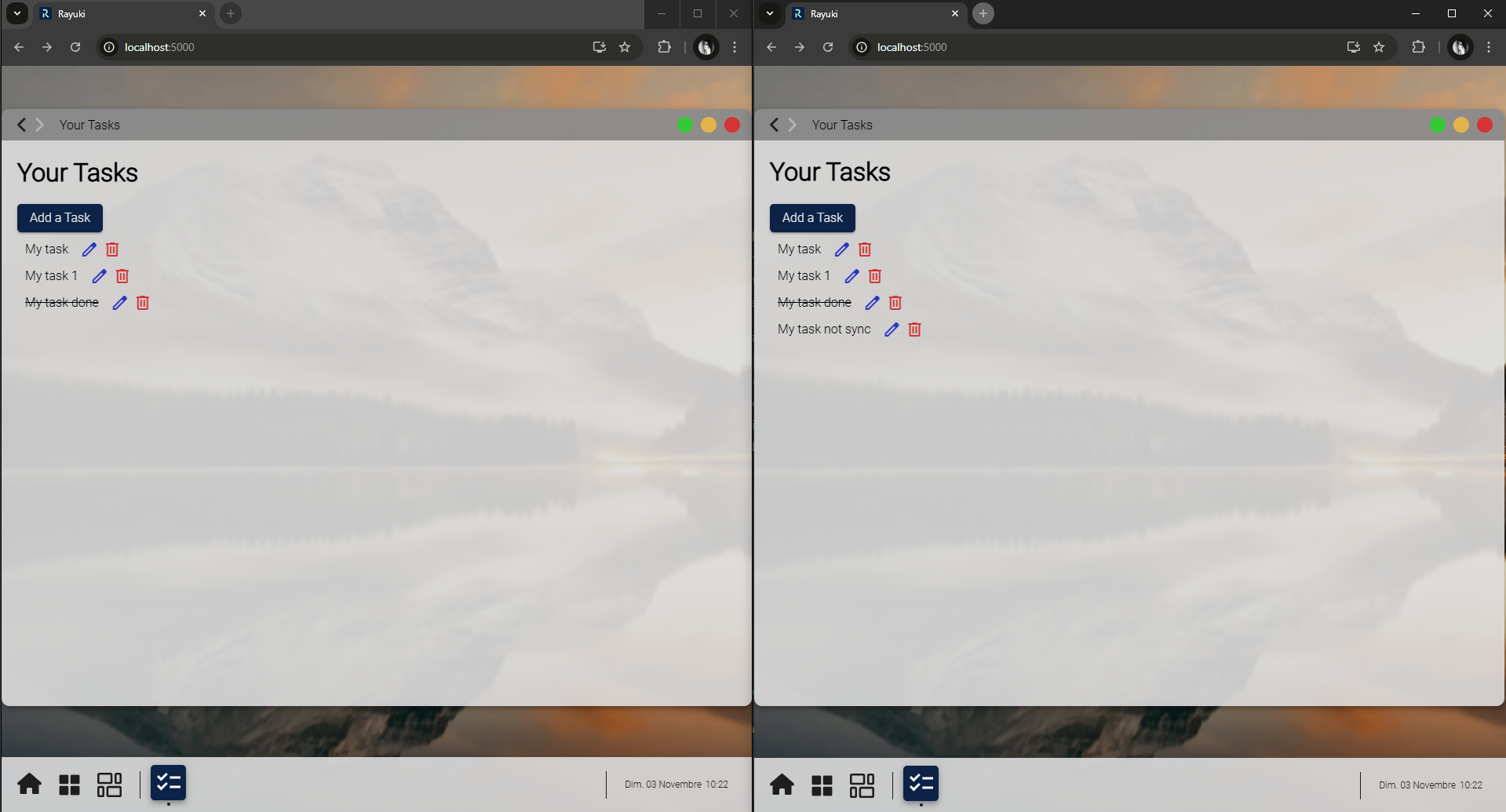
To resolve this issue, we simply need to use WebSockets. This change requires minimal modifications to the code. You will begin by creating a new file called TodoRouter.cs in the new folder Websocket/Route. Similar to HTTP routes, there is a preconfigured class to manage CRUD operations: StorableWsRouter<>. The only distinction between a WebSocket and an HTTP route is that you need to define the endpoint using the EndPoint<> attribute, which specifies where to send our message. For this example, you will use the EndPoint that is provided by default in Rayuki: Core.Websocket.MainEndPoint.
using AventusSharp.Data.Manager;using AventusSharp.WebSocket;using AventusSharp.WebSocket.Attributes;using Core.Websocket;using Demo.Data;using Demo.Logic.DM;
namespace Demo.Websocket.Route{    [EndPoint<MainEndPoint>]    public class TodoRouter : StorableWsRouter<Todo>    {        protected override IGenericDM<Todo>? GetDM()        {            return TodoDM.GetInstance();        }    }}
Now you can remove the file Routes/TodoRouter.cs.
Once this is done, you can export the backend to the frontend. This will create the message file on the frontend side. Don’t forget to stop your docker before.
import { Todo } from '../../Data/Todo.data.avt';
namespace Websocket.Route {
    export class TodoRouter extends AventusSharp.WebSocket.StorableWsRouter<Todo> {
        public constructor(endpoint?: AventusSharp.WebSocket.EndPoint) {            super(endpoint ?? Core.Websocket.MainEndPoint.getInstance());        }
        public StorableName() {            return "Todo";        }
        public override getPrefix(): string {            return "/Demo";        }    }}
Finally, you can change your RAM to transform it from AventusSharp.RAM.RamHttp to AventusSharp.RAM.RamWebSocket and change the route to use WebSocket instead of HTTP.
import { TodoRouter } from "../generated/Websocket/Routes/TodoRouter.lib.avt";import { Todo } from "../generated/Data/Todo.data.avt";
namespace Ram {    export class TodoRAM extends AventusSharp.RAM.RamWebSocket<Todo> implements Aventus.IRam {        /**         * @inheritdoc         */        public override defineRoutes(): AventusSharp.WebSocket.StorableWsRouter<Todo> {            return new TodoRouter();        }        /**         * Create a singleton to store data         */        public static getInstance(): TodoRAM {            return Aventus.Instance.get(TodoRAM);        }        /**         * @inheritdoc         */        public override defineIndexKey(): keyof Todo {            return 'Id';        }        /**         * @inheritdoc         */        protected override getTypeForData(objJson: Aventus.KeysObject<Todo> | Todo): new () => Todo {            return Todo;        }    }}
You can now run the test again and observe that the tabs are synchronized.
Congratulations! You have reached the end of this tutorial.